
A good Christmas list app should do more than store gift ideas. It should help you create a Christmas list, share it with family, avoid duplicate gifts, and keep the surprise intact.
That is where Huff fits naturally. Instead of sending screenshots, links, and “what do you want?” texts across three family chats, Huff lets you save gifts from the stores you already shop, organize them in one place, and share them privately with the people who need to see them. Huff is built as a private wishlist app for iOS and Android, with saving through the share menu and privacy based on your saved contacts.
Table of Contents
What is a Christmas List App?
A Christmas list app is a digital tool that helps you create, organize, and share your holiday wishlist. Instead of keeping ideas in a note, spreadsheet, store cart, or group chat, everything lives in one place.
A strong Christmas list app lets you:
- Add gift ideas with links
- Save items from different stores
- Share your list with family
- Add notes for size, color, and preference
- Help gift-givers avoid duplicates
- Keep purchased gifts hidden from the list owner
Think of it as a smarter Christmas list. A basic list says, “Here are things I want.” A better Christmas wishlist app says, “Here are the right things, from the right stores, with enough detail for someone to buy confidently.”
Best Christmas List Apps for Families
Choosing the right Christmas list app depends on how your family actually shops. Some families need a simple shared link. Others need private wishlists, gift claiming, group gifting, Secret Santa tools, or a way to save gift ideas from any store.
1. Huff
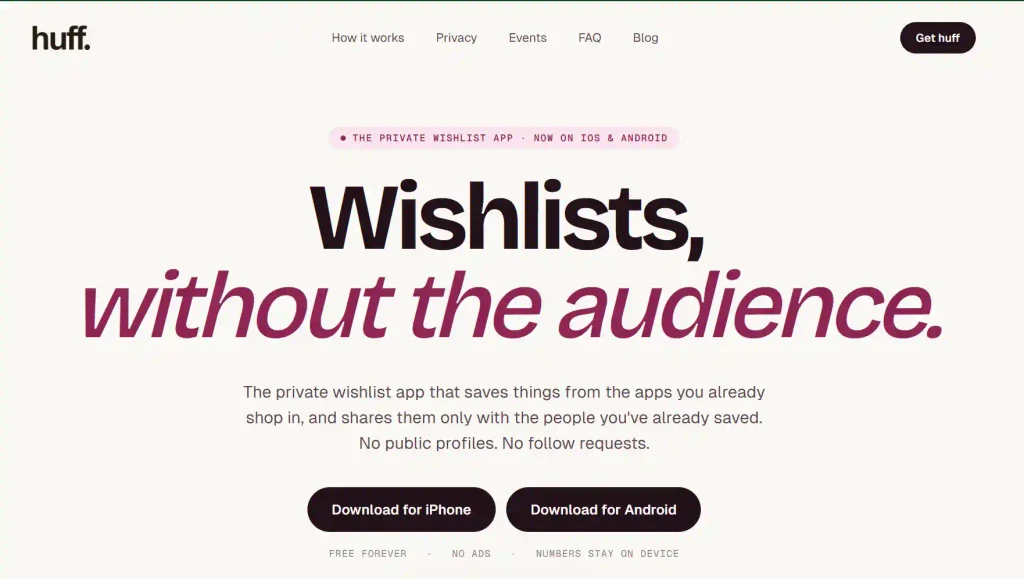
Huff is a private wishlist app built for real family gifting, not public profiles or messy group chats. It lets users save gifts from shopping apps through the share menu, share wishlists only with trusted contacts, and coordinate events with built-in chat, budgets, live item lists, and Surprise mode.
Features:
- Save gifts from any store or shopping app
- Works through the iPhone and Android share menu
- Private wishlist visibility through saved contacts
- Event threads for birthdays, Christmas, Secret Santa, weddings, and registries
- Surprise mode to hide gift planning from the recipient
- Group gifting and budget coordination
- Free on iOS and Android
Pros:
- Best fit for private family Christmas lists
- Strong privacy angle compared with public wishlist tools
- Works across stores, not only one retailer
- Good for group gifts and surprise planning
- Strong brand fit for Christmas, Secret Santa, birthdays, and registries
Cons:
- Best experience depends on family members also using Huff
- More privacy-focused than public-link tools, so users who want fully open public lists may prefer another option
2. GiftList
GiftList is a broad wishlist and registry app for holidays, birthdays, weddings, baby registries, and other occasions. It supports universal wishlists, events, group gifting, cash funds, registry imports, AI gift ideas, price comparisons, collaborative lists, and privacy controls for different list-sharing needs.
Features:
- Universal wishlist from any retailer
- Events and invitations
- Group gifting and cash funds
- Registry import from Amazon, Target, Walmart, Etsy, and Anthropologie
- AI gift finder
- Price comparisons
- Collaborative lists
- Privacy controls
Pros:
- Feature-rich for many gifting occasions
- Good for registries and group contributions
- Helpful for users who want AI gift suggestions
- Strong list organization options
Cons:
- May feel heavier than needed for a simple family Christmas list
- Many features can make the experience feel less focused
- Huff has a stronger private, contact-based positioning for close family sharing
3. Giftster
Giftster is a family wish list maker designed for Christmas, birthdays, Secret Santa, and year-round gifting. It helps groups share lists, mark items as purchased, and reduce duplicate gifts while keeping purchases hidden from the list maker.
Features:
- Family and group wishlists
- Secret Santa support
- Purchase marking to avoid duplicates
- Hidden purchases from the list maker
- Mobile app access
- List sharing with groups or individual visitors
Pros:
- Strong for families already used to group wishlists
- Good duplicate prevention
- Useful for Secret Santa exchanges
- Works well for recurring family gifting
Cons:
- Interface may feel more traditional than newer wishlist apps
- Group setup can feel like an extra step for casual users
- Less focused on Huff-style private contact-based sharing
4. ChristmasListApp
ChristmasListApp is a Christmas-focused wishlist tool made for creating gift lists, sharing them with family and friends, claiming gifts, tracking purchases, and managing holiday budgets. It is clearly built around Christmas planning rather than general year-round wishlist use.
Features:
- Create Christmas wish lists
- Add items from online stores
- Share lists by email, text, or social channels
- Claim gifts to avoid duplicates
- Track budgets and shopping progress
- Add gift ideas for children or family members
- Mobile app available
Pros:
- Very Christmas-specific
- Good for families making holiday lists
- Budget tracking is useful for shoppers
- Gift claiming helps reduce duplicate presents
Cons:
- Narrower use case than Huff
- Less useful outside Christmas compared with all-occasion wishlist apps
- May not offer the same privacy and event-thread experience as Huff
5. Farha
Farha is a free wishlist app for iOS and Android, made for families and close friends. Its positioning focuses on reducing group-chat chaos, duplicate presents, and spoiled surprises, which makes it relevant for Christmas list sharing and family gift coordination.
Features:
- Family and close-friend wishlists
- iOS and Android availability
- Designed for reducing duplicate gifts
- Separate visibility for different list types
- Focus on avoiding spoiled surprises
Pros:
- Clear family gifting angle
- Good fit for close-circle gift sharing
- Simple positioning for users tired of group chats
- Relevant competitor for Christmas wishlist searches
Cons:
- Less established than older wishlist tools
- Feature depth may vary compared with larger platforms
- Huff has a stronger privacy-first brand story and broader event coordination angle
6. WishDeck
WishDeck is a free wishlist maker for web, iPhone, and Android. It lets users create wishlists, add wishes from any site, share lists with family or friends, and use AI gift ideas when they are not sure what to buy.
Features:
- Create wishlists for holidays and occasions
- Add items from any site using share or product links
- Share wishlist links with family and friends
- No app or sign-up required for viewers
- Secret gift reservations
- AI gift assistant
- Private and public list options
Pros:
- Good for easy link-based sharing
- AI gift ideas can help users who need inspiration
- Viewers can open lists in a browser
- Works across different occasions
Cons:
- Some privacy controls, such as Circles, are listed as Premium
- Public-link sharing may not suit families that prefer contact-based privacy
- Huff is stronger for private, relationship-based sharing and built-in event planning
7. Notes, Google Keep, or Google Docs
Notes apps are the simplest way to make a Christmas list. Google Keep, for example, supports shared notes and family group sharing, so families can collaborate on basic lists. This works for simple planning, but it does not replace a dedicated Christmas wishlist app.
Features:
- Create basic text lists
- Share notes or lists with family
- Collaborate in real time
- Add checkboxes
- Works well for quick personal planning
- Free and familiar for many users
Pros:
- Easy to use
- No new wishlist app required
- Good for rough planning
- Works for simple family notes
Cons:
- No gift claiming
- No hidden purchase status
- No built-in duplicate prevention
- No product images, prices, or store links unless added manually
- Not ideal for keeping Christmas surprises private
Why a Christmas List App Is Better Than a Group Text
Group texts feel easy at first, but they break down quickly during the holidays. Links get buried, people ask the same questions, someone buys a duplicate, and the person receiving the gift often sees too much.
It Keeps Every Gift Idea in One Place
A Christmas list maker gives your family one clean place to check before buying. That means no more searching through old messages, screenshots, or random store links.
With Huff, you can save items from shopping apps through the share menu. Open the product page, tap share, choose Huff, and the gift lands in your wishlist. Huff describes this as saving from anywhere you already shop, including major stores and smaller sites.
It Helps Family Avoid Duplicate Gifts
Duplicate gifts usually happen because buyers cannot see the full picture. One aunt buys a board game. A grandparent buys the same one. Nobody knows until Christmas morning.
A shared Christmas list helps family members coordinate before buying. Huff’s event tools also support live item lists where people can add or claim gifts, which helps reduce overlap inside group gifting plans.
It Keeps Surprises Private
The best Christmas gifts still feel like surprises. A wishlist should guide family members without showing the recipient every behind-the-scenes decision.
Huff’s Surprise mode is useful here because it can hide the event, chat, and gift list from the person the gift is for. That makes it better than a normal group chat where one screenshot or reply can ruin the surprise.
It Makes Shopping Easier for Everyone
A good Christmas wish list app should help the buyer as much as the person making the list. Grandparents, siblings, partners, and in-laws should be able to understand what to buy without asking five follow-up questions.
Add notes like:
- Size: Medium
- Color: Olive green
- Store preference: Any
- Budget: Under $50
- Priority: High
- Avoid: Already own this in black
Small details make your Christmas list easier to shop from and reduce returns after the holidays.
What to Look for in the Best Christmas List App
Not every Christmas wishlist maker solves the same problem. Some are just digital notes. Others are tied to one store. The best one should work across real family shopping habits.
Add Gifts From Any Store
A Christmas list app should not force every gift into one retailer. Families shop across Amazon, Target, Etsy, Walmart, Best Buy, local boutiques, and brand websites.
That is why a universal wishlist approach matters. Huff’s Universal Wishlist guide explains how one list can hold gift ideas from different stores instead of forcing users to maintain several separate wishlists.
Share Privately With Family
Holiday wishlists can include personal preferences, kids’ items, addresses, sizes, budgets, and buying habits. That should not be public by default.
Huff is built around private sharing through saved contacts. The site explains that anyone whose number you have saved can see your wishlist, while people you have not saved cannot. It also says raw numbers stay on device and are hashed before use.
Let People Claim Gifts Without Spoiling the Surprise
Gift claiming is one of the biggest reasons to use a Christmas wishlist app instead of a note. Buyers should be able to coordinate so duplicates do not happen, while the list owner still gets to be surprised.
This is especially helpful for:
- Kids’ Christmas lists
- Partner gifts
- Grandparent shopping
- Secret Santa groups
- Big family gift exchanges
- Group gifts with shared budgets
Add Notes for Size, Color, Budget, and Priority
A Christmas wish list maker is only useful if the gift details are clear. A link alone may not be enough, especially for clothing, shoes, beauty products, toys, and tech accessories.
Useful notes include:
- “Size 8, wide fit”
- “Any color except red”
- “Prefer hardcover”
- “Works with Nintendo Switch”
- “Stocking stuffer”
- “Under $25”
- “Do not buy if shipping is after Christmas”
These notes help family members buy the right item the first time.
Support Multiple Lists and Occasions
Most families do not need just one Christmas list. They need several smaller lists that stay organized.
Examples:
- Kids’ Christmas list
- Mom’s Christmas list
- Partner gifts
- Stocking stuffers
- Secret Santa gifts
- Gifts under $50
- Gifts to buy later
- Birthday ideas for next year
Huff works beyond Christmas too, so the same app can support birthdays, weddings, baby registries, anniversaries, and Secret Santa events.
How to Create a Christmas List With Huff
Creating a Christmas list should feel simple. You should be able to add ideas when you see them, not sit down later and try to remember everything.
Step 1: Get Huff
Download Huff and set up your private wishlist. Huff is available on iOS and Android, and its homepage describes the app as free, with no ads.
Once it is set up, you can use it as your main Christmas list app instead of splitting ideas between notes, texts, screenshots, and store carts.
Step 2: Save Gifts From Any Store
When you find something you want, open the product page, tap the share icon, and choose Huff. The item gets saved to your wishlist.
This makes Huff useful as a Christmas wishlist maker because it works with how people already shop. You can add gifts from big retailers, small stores, handmade shops, or niche brands without forcing everything into one store account.
Step 3: Organize Your Christmas List
A good list is easy to scan. Group items in a way that helps family members shop faster.
You can organize by:
- Person
- Budget
- Gift type
- Priority
- Store
- Occasion
- Stocking stuffer vs main gift
For example, a parent could create a Christmas list for each child. An adult could make one list for practical gifts, one for fun gifts, and one for bigger items.
Step 4: Share With the Right People
Once your list is ready, share it with the family members who ask what you want. Keep the message simple.
Example:
“Here is my Christmas list. I added sizes, colors, and a few price ranges so it is easy to pick something.”
This feels more helpful than sending a vague “anything is fine” reply, which usually leads to last-minute guessing.
Step 5: Let Family Coordinate Gifts
The real value comes after sharing. Family members can use the list to coordinate, avoid duplicate gifts, and plan group purchases.
For bigger gifts, Huff’s event thread and budget features can help people discuss the gift in one place. That is much cleaner than managing a surprise gift across several chats.
Christmas List App vs Christmas List Maker vs Christmas List Generator
These terms sound different, but most people searching them want the same outcome: a better way to plan and share Christmas gifts.
| Term | What It Usually Means | Best Use |
| Christmas list app | A mobile app for creating and sharing gift lists | Family sharing |
| Christmas list maker | A tool to build a Christmas gift list | Quick list creation |
| Christmas wishlist maker | A wishlist tool focused on gifts people want | Personal wishlist |
| Christmas list generator | A tool that helps create or organize gift ideas | Idea planning |
| Christmas wishlist app | An app for holiday wishlists | App comparison |
Huff can serve all of these needs because it lets you save gift ideas, organize them, and share them privately. It is more useful than a plain Christmas list generator because it supports real gift coordination, not just idea creation.
Christmas List Ideas to Add Before Sharing
A helpful Christmas list includes a mix of budgets and gift types. That gives family members options without making anyone feel boxed in.
Gifts Under $25
Low-cost gifts are perfect for stocking stuffers, coworkers, cousins, and family members who want a simple option.
Good ideas include:
- Books
- Candles
- Socks
- Small toys
- Card games
- Coffee mugs
- Phone accessories
- Skincare minis
- Snacks or candy
- Art supplies
Add these to your Huff list so people who want a smaller gift still have something useful to choose.
Gifts Under $50
This is a comfortable range for many family members. It can feel thoughtful without being too expensive.
Good ideas include:
- Hoodies
- Board games
- Beauty sets
- Hobby supplies
- Kids’ toys
- Home decor
- Kitchen tools
- Tech accessories
- Water bottles
- Small appliances
For clothing or accessories, always add size and color notes.
Gifts Under $100
This range works well for parents, partners, siblings, or anyone buying a main Christmas gift.
Good ideas include:
- Headphones
- Sneakers
- Premium skincare
- Cookware
- Fitness gear
- Smart home items
- Larger toy sets
- Bedding
- Bags or backpacks
- Subscription boxes
If the item has compatibility requirements, mention them clearly.
Experience Gifts
Not every Christmas gift needs to be a physical item. Experience gifts are helpful when someone already has enough stuff.
Good ideas include:
- Concert tickets
- Movie passes
- Museum tickets
- Spa vouchers
- Cooking classes
- Sports tickets
- Fitness classes
- Memberships
- Arcade cards
- Weekend activity vouchers
Add a note about location, date flexibility, and preferred timing.
Practical Gifts
Practical gifts are not boring when they match real needs. In many families, these are the gifts people use the most.
Good ideas include:
- Bedding
- Cookware
- Baby items
- School supplies
- Work bags
- Office accessories
- Storage bins
- Winter gear
- Travel organizers
- Everyday clothing
A Christmas wishlist app makes practical gifts easier because you can add the exact version you want.
Common Christmas List Mistakes to Avoid
A Christmas list should make gifting easier, not more confusing. Avoid these common mistakes before you share your list.
Adding Only Expensive Gifts
If everything on your list costs $150 or more, some family members may not know what to buy. Add a mix of small, medium, and bigger gifts.
A balanced Christmas list might include:
- 5 gifts under $25
- 5 gifts under $50
- 3 gifts under $100
- 1 or 2 bigger group gift ideas
This gives people flexibility.
Forgetting Sizes and Colors
A gift link is helpful, but it does not always answer the important questions. Add notes for clothing, shoes, bedding, jewelry, makeup, sports gear, and kids’ items.
Bad note: “I like this.”
Better note: “Size medium, cream or black preferred.”
Sharing the List Too Late
Do not wait until the week before Christmas. Shipping delays, sold-out items, and price changes make late sharing stressful.
Build your list before Black Friday and Cyber Monday if possible. Then update it again in early December.
Using Only One Store Wishlist
A single-store wishlist can be useful, but it limits choice. If your Christmas list includes handmade gifts, small business products, tech, clothes, books, and experience gifts, one store will not cover everything.
That is where Huff’s universal wishlist approach is useful. You can keep ideas from different stores in one place and make the list easier for family to shop from.
Sending Screenshots Instead of a Live List
Screenshots go stale quickly. A product might sell out, the price may change, or someone may already buy it.
A live Christmas list is easier to update. If something becomes unavailable, remove it or add a backup gift.
Who Should Use a Christmas List App?
A Christmas list app is useful for anyone who wants less holiday confusion and better gift coordination.
It works especially well for:
- Parents making Christmas lists for kids
- Teens sharing gift ideas with family
- Adults who want practical gifts
- Couples organizing holiday shopping
- Grandparents buying for multiple grandchildren
- Families doing Secret Santa
- Friends exchanging gifts remotely
- Siblings planning gifts for parents
- Anyone tired of group texts and duplicate presents
If more than two people are buying gifts, a shared Christmas wishlist app can save time and reduce awkward mistakes.
Why Huff Is the Best Christmas List App for Private Family Sharing
Huff is a strong fit for families because it treats gifting as a private, relationship-based activity. Your list is not meant to be a public profile. It is meant for the people who actually buy gifts for you.
Huff stands out because it lets you:
- Save gifts from any store
- Use the share menu on iPhone and Android
- Keep wishlists private
- Share through trusted contacts
- Plan group gifts
- Use event threads
- Hide surprises from the recipient
- Avoid scattered links and screenshots
- Use the same app for Christmas, birthdays, weddings, baby registries, and Secret Santa
If you are planning a holiday gift exchange, you can also connect this page to Huff’s related Secret Santa content, such as the Secret Santa generator, Secret Santa gift ideas, and Secret Santa questionnaire.
For a broader gifting setup, link to Huff’s Universal Wishlist guide so readers can understand how to combine gifts from any store into one list.
Final Takeaway
The best Christmas list app is the one your family will actually use. It should be simple to update, easy to share, private enough for real families, and flexible enough to handle gifts from any store.
Huff makes that easier by giving you one place to save Christmas gift ideas, share them with the right people, and coordinate gifts without the usual group text chaos.
Create your Christmas list on Huff, add gifts from any store, and share it privately with the family members who need it.
Christmas WishList App FAQs
What is the best Christmas list app?
The best Christmas list app lets you add gifts from any store, share your list privately, avoid duplicate gifts, and keep surprises hidden. Huff is a strong option for families because it is built for private wishlists, group gifting, and event-based coordination.
How do I make a Christmas list online?
Use a Christmas list maker or wishlist app. Add gift ideas with links, include notes for size and color, organize items by person or price, then share the list with family.
Can I share a Christmas list with family?
Yes. A Christmas wishlist app lets you share your Christmas list with family so they can view gift ideas and coordinate purchases without relying on a messy group text.
What should I put on my Christmas list?
Add a mix of practical gifts, fun gifts, experience gifts, and items at different price points. Include notes for size, color, style, priority, and preferred store.
Is a Christmas list app better than an Amazon wishlist?
A Christmas list app is better if you want to add gifts from multiple stores. Amazon wishlists are useful for Amazon products, but a universal wishlist app like Huff can include gifts from many stores.
What is the difference between a Christmas list maker and a Christmas wishlist app?
A Christmas list maker helps you create a list. A Christmas wishlist app usually does more, including saving links, sharing with family, organizing gifts, and helping prevent duplicate purchases.
Can Huff be used as a Christmas wish list app?
Yes. Huff can be used as a Christmas wish list app because it lets users save gift ideas from stores they already shop, keep lists private, and coordinate gifts with family.
What is a Christmas list generator?
A Christmas list generator usually helps create gift ideas or organize a holiday wish list. For better family sharing, use a Christmas list app that also lets people view, claim, and coordinate gifts.