
Learning how to make an online wishlist is simple: choose a wishlist tool, create a list, add gift ideas with links, include helpful notes, set privacy preferences, and share it with the right people.
The better question is not just how to create a wish list. It is how to make one that people can actually use. A good online wishlist should help friends and family buy the right gift without guessing your size, color, budget, or preferred store.
With Huff, you can save gift ideas from shopping apps through the share menu, organize them in one place, and share your wishlist privately with trusted people. Huff is built as a private wishlist app for gifts, registries, and Secret Santa.
What is an Online Wishlist?
An online wishlist is a digital list where you save gift ideas, product links, notes, and preferences so other people can see what you want and buy the right gift.
You can use an online wishlist for birthdays, Christmas, weddings, baby registries, graduation, housewarming, Secret Santa, or everyday shopping ideas. Instead of keeping everything in screenshots, notes, carts, and text messages, a wishlist keeps your gift ideas in one organized place.
How to Make an Online Wishlist in 7 Steps
If you want to create online wishlist pages that are actually useful, follow a simple process. The goal is to make the list easy for you to update and easy for someone else to shop from.
Step 1: Choose an Online Wish List Maker
Start with the right tool. A good online wish list maker should let you add gifts from different stores, write notes, control who sees your list, and share it without making the process awkward.
Look for:
- Gifts from any store
- Easy mobile saving
- Private or controlled sharing
- Notes for size, color, and priority
- Multiple lists for different occasions
- Gift coordination features
- A simple experience for family and friends
Huff is a strong choice because it works through the iPhone and Android share menu, so you can save gift ideas while browsing instead of copying links into a note.
Step 2: Create Your Wishlist
Once you choose the tool, create a wish list and name it clearly. The list name should tell people what the list is for.
Good examples include:
- My Birthday Wishlist
- Christmas Gift Ideas
- Wedding Registry Ideas
- Baby Registry
- Graduation Wish List
- Housewarming List
- Secret Santa Ideas
- Gifts Under $50
Clear names help people understand the occasion and shop faster.
Step 3: Add Items From Any Store
A useful online wishlist should not be limited to one retailer. You may want one item from Amazon, another from Etsy, a third from Target, and something handmade from a small brand.
Add items from:
- Amazon
- Etsy
- Target
- Best Buy
- Nordstrom
- Small brands
- Local shops with product links
- Any store with a product page
Huff’s Universal Wishlist guide explains why one list from multiple stores is easier than sending separate links from every retailer.
Step 4: Add Notes That Help People Buy Correctly
A product link is helpful, but notes make your wishlist much easier to use. They reduce wrong sizes, wrong colors, duplicate gifts, and awkward returns.
Add notes like:
- Size medium
- Prefer black or white
- Any similar item is fine
- Top priority
- Good stocking stuffer
- Please avoid scented version
- Works with iPhone
- Already have the smaller size
Think of notes as small directions for the person buying the gift. They make the list feel thoughtful, not demanding.
Step 5: Add Gifts at Different Price Points
A good wishlist should give people options. If every item is expensive, some friends or family members may not know what to choose.
Try adding:
- Gifts under $25
- Gifts under $50
- Gifts under $100
- One or two group gift ideas
- Gift cards
- Experience gifts
This makes your wishlist easier for grandparents, siblings, friends, coworkers, and extended family to use comfortably.
Step 6: Set Privacy or Sharing Preferences
Before sharing your wishlist, check who can see it. Some wishlist tools use public links, while others let you keep lists private or visible only to specific people.
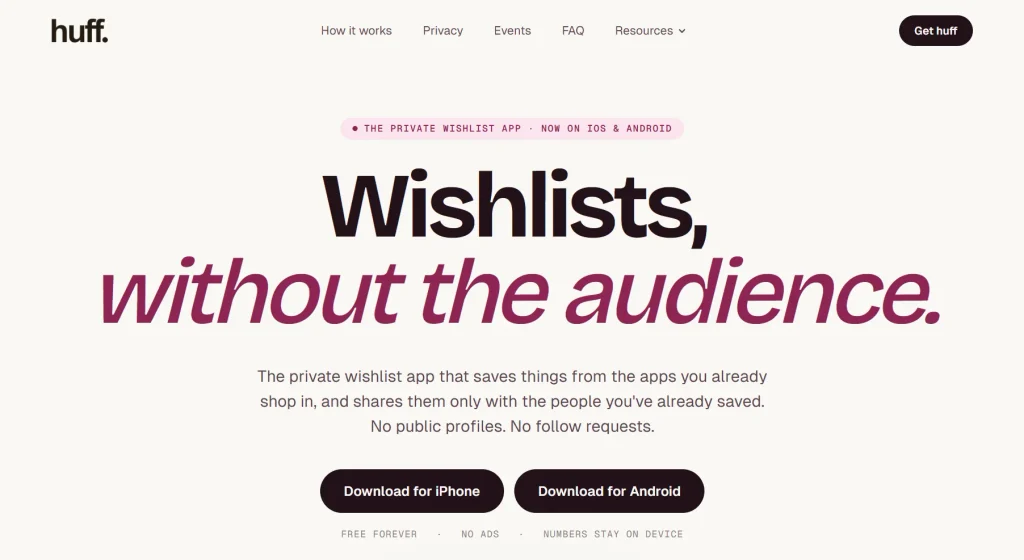
Huff is designed around private sharing. Its homepage explains that Huff does not use public profiles or follow requests, and wishlist visibility is based on saved contacts.
This matters if your list includes personal sizes, kids’ gifts, addresses, family events, or items you only want close people to see.
Step 7: Share Your Wishlist
Once your list is ready, share it in a way that feels natural. You do not need to make it sound formal.
Try this: “Here are a few gift ideas if helpful. I added sizes and notes so it is easy to choose.”
That wording keeps the list useful without sounding pushy. It also helps people who already want ideas but do not want to guess.
Why Use Huff to Create an Online Wishlist?
Huff is built for real-life gifting, where people save ideas from many stores and share them with people they actually know. It works well if you want one private place for birthdays, holidays, registries, and everyday gift ideas.
Save Gifts From Any Store
Huff lets you save items from shopping apps through the share menu. That means you can add gift ideas while browsing instead of going back later to copy links.
This is useful because gift ideas rarely come from one place. Your list may include Amazon, Etsy, Sephora, Best Buy, small brands, or local shops.
Keep Your Wishlist Private
Not every wishlist needs to be public. Some people want a private gift list for family, close friends, or a specific event.
Huff’s contact-based visibility makes the experience feel more personal. You can organize gift ideas without turning your wishlist into a public page for strangers.
Use One App for Every Occasion
You can use Huff for more than one event. A single app can support:
- Birthday wishlists
- Christmas lists
- Wedding registries
- Baby registries
- Graduation wish lists
- Housewarming lists
- Secret Santa gifts
- Everyday purchase ideas
That means you do not need one tool for Christmas, another for birthdays, and another for registries.
Avoid Scattered Links and Screenshots
Most people start with screenshots, notes, browser tabs, and random messages. That works for a while, then it becomes messy.
A wishlist app keeps everything together, including links, notes, priorities, and occasion-based lists.
Online Wishlist vs Store Wishlist: What’s the Difference?
An online wishlist gives you more flexibility than a store wishlist. A store wishlist works well if all your gifts come from one retailer, but most people shop across many stores.
| Feature | Online Wishlist | Store Wishlist |
| Store coverage | Multiple stores | One retailer |
| Best for | Any occasion | Shopping from one store |
| Sharing | Private or link-based | Usually link-based |
| Notes | Flexible | Depends on retailer |
| Gift variety | High | Limited to that store |
| Best use case | Birthdays, holidays, registries | Single-store shopping |
If everything you want is on one site, a store wishlist can work. If your gift ideas come from many places, an online wish list maker like Huff is more flexible.
What to Add to an Online Wishlist
A helpful wishlist includes a mix of fun, practical, affordable, and higher-priority ideas. The more balanced your list is, the easier it is for people to choose.
Gift Ideas for Birthdays
A birthday wishlist should feel personal. Add things you would genuinely enjoy but might not buy for yourself.
Good ideas include:
- Books
- Clothing
- Beauty products
- Hobby supplies
- Games
- Tech accessories
- Fitness gear
- Restaurant gift cards
- Experience gifts
- Small luxury items
Add notes for size, color, scent, or brand preference where needed.
Gift Ideas for Christmas
A Christmas wishlist should include different price points because family members often shop with different budgets.
Add:
- Stocking stuffers
- Cozy items
- Home goods
- Toys
- Subscriptions
- Books
- Gift cards
- Family gift ideas
- Secret Santa options
- Practical winter items
For more Christmas planning, you can link to Huff’s Christmas List App and Christmas Gift Registry posts.
Registry Ideas
Online wishlists also work well as casual registries. You can create separate lists for major life events.
Useful registry types include:
- Wedding registry
- Baby registry
- Graduation registry
- Housewarming registry
- Holiday registry
- New apartment list
For life-event examples, link to Graduation Wish List & Registry Ideas and Housewarming Wishlist App.
Practical Everyday Items
Practical gifts are often the ones people use most. Add everyday items that would make your life easier.
Good ideas include:
- Kitchen tools
- Work gear
- School supplies
- Travel items
- Bedding
- Storage
- Tech chargers
- Bags
- Cleaning tools
- Home upgrades
These gifts may not look flashy, but they are usually appreciated.
Experience Gifts
Not every wishlist item needs to be a physical product. Experience gifts are great for people who prefer memories over more stuff.
Add:
- Concert tickets
- Classes
- Spa vouchers
- Sports tickets
- Museum memberships
- Travel funds
- Cooking classes
- Local activity passes
- Restaurant gift cards
Add location, date flexibility, and preference notes so people can buy confidently.
Common Mistakes to Avoid When Creating a Wishlist
A wishlist should make gifting easier. These mistakes can make it harder for people to use your list well.
Adding Only Expensive Items
If every item costs too much, people may feel uncomfortable. Add small, medium, and larger gift ideas so everyone has options.
A balanced list might include:
- 5 gifts under $25
- 5 gifts under $50
- 3 gifts under $100
- 1 or 2 group gift ideas
This makes your list more useful and more thoughtful.
Forgetting Sizes, Colors, or Preferences
Do not assume people know your size or style. Add notes for clothing, shoes, beauty, home items, tech, and kids’ gifts.
Better note: “Size 8, white or black preferred.”
Not as helpful: “I like this.”
Specific notes prevent wrong purchases.
Using Too Many Separate Lists
If your gift ideas are spread across notes, store carts, screenshots, and messages, people may miss the best option.
Keep your main ideas in one app, then create separate lists inside that app for each occasion.
Sharing a Wishlist Too Late
A wishlist is more useful when people have time to shop. Share it before birthdays, holidays, weddings, baby showers, graduations, or housewarming parties.
Early sharing also helps people compare prices, avoid shipping delays, and choose gifts more thoughtfully.
Making the List Public When You Wanted Privacy
Always check privacy settings before sharing. Some online wishlist tools use public links, while others offer private or contact-based sharing.
If privacy matters to you, choose a tool that matches how you want your list to be seen.
When Should You Create an Online Wishlist?
You can create an online wishlist anytime, not just when someone asks for gift ideas. It can also be a private place to save future purchases.
Good times to create one include:
- Before your birthday
- Before Christmas
- Before a wedding shower
- Before a baby shower
- Before graduation
- Before a housewarming party
- Before Secret Santa
- Before moving into a new place
- Anytime you want to save future gift ideas
For Secret Santa planning, link to Huff’s Secret Santa Generator and browse more related guides on Huff Blogs.
Final Takeaway
The easiest way to make an online wishlist is to choose a private wishlist app, create a clear list, add gifts from any store, include helpful notes, and share it with the right people.
Huff makes that process simple because it lets you save gift ideas from shopping apps, organize them by occasion, and share privately with trusted people. Create your wishlist on Huff and keep every gift idea in one place.
How to Make an Online Wishlist FAQs
How do I make an online wishlist?
Choose an online wish list maker, create a list, add gift links from stores, include notes for size or color, set privacy preferences, and share the list with friends or family.
What is the best way to create a wish list?
The best way is to use a wishlist app that lets you save gifts from any store, add notes, and share the list privately. Huff is a strong option because it is built for private gift sharing.
Can I create online wishlist pages for free?
Yes. Many wishlist tools offer free list creation. Huff is positioned as a free private wishlist app for iOS and Android.
What should I put on an online wishlist?
Add gifts at different price points, practical items, fun items, experience gifts, gift cards, and notes for size, color, priority, or preferred store.
Is an online wishlist better than an Amazon wishlist?
An online wishlist is better if your gift ideas come from multiple stores. An Amazon wishlist is useful for Amazon items, but a universal wishlist app like Huff can include items from many retailers.
Can I make a private online wishlist?
Yes. Some wishlist tools let users choose private, public, or link-based visibility. Huff focuses on private contact-based wishlist sharing rather than public profiles.
What is an online wish list maker?
An online wish list maker is a tool that helps you create, organize, and share a digital list of gifts or products you want.
Can I use Huff as an online wishlist maker?
Yes. Huff can be used as an online wishlist maker because it lets you save gifts from shopping apps, organize ideas, and share wishlists privately with trusted people.