
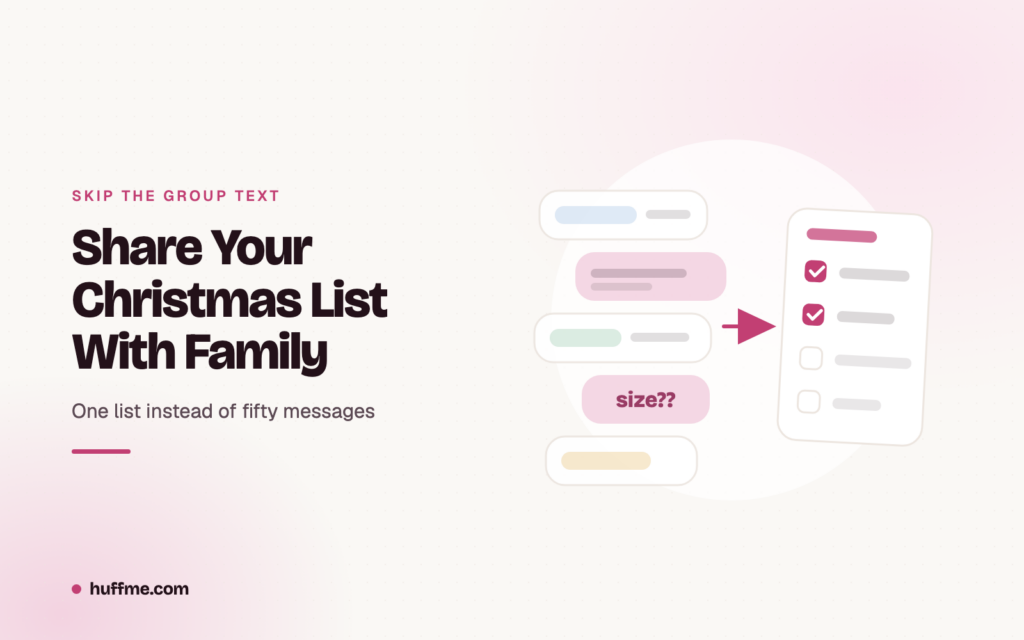
A family group text sounds easy until the links start piling up.
Someone sends an Amazon link. Someone else asks for sizes. A grandparent misses the message. A sibling buys the same gift as an aunt. By mid-December, the “simple” Christmas list has turned into screenshots, side chats, and repeat questions.
If you want a christmas list app to share with family, the goal is simple: one private list, gifts from any store, clear notes, and a way for family to coordinate without spoiling the surprise.
That is where Huff fits. Huff is a private wishlist app that lets you save gift ideas from shopping apps and any URL, then share them only with your people. It is built for private lists, family gifting, event threads, claiming, budgets, and surprise planning.
Table of Contents
Quick Answer: The Best Way to Share a Christmas List With Family
The easiest way to share a Christmas list with family is to create one private digital wishlist, add gifts from any store, include notes for size and preferences, then share it with the family members who need it.
A good shareable Christmas list should help relatives shop without asking the same questions every week. It should also help prevent duplicate gifts.
Why Not Use a Group Text?
A group text works for one or two links. It does not work well for a full family Christmas list.
Group texts often create problems:
- Links get buried
- Screenshots go out of date
- People miss updates
- Sizes and colors are unclear
- Duplicate gifts happen
- Surprise planning gets exposed
- Side chats multiply
- Grandparents or in-laws get left out
A private wishlist gives everyone one place to check instead of scrolling through 200 messages.
What is a Shareable Christmas List?
A shareable Christmas list is a digital gift list you can send to family so they can see what you want, open product links, and coordinate purchases.
The best version is not just a note with gift names. It should include enough detail that someone can confidently buy the right item.
A Good Shareable Christmas List Should Include
Your list should answer the questions family members usually ask after you send it.
Include:
- Gift name
- Product link
- Store name
- Price or price range
- Size
- Color
- Quantity
- Notes or preferences
- Gift card options
- “Do not buy” notes
- Claimed or reserved status
- Privacy controls
That last part matters. A Christmas list is meant for your family, not the whole internet.
Why Families Need a Better Christmas List System
Family Christmas shopping involves more people than most list tools are built for. Parents, siblings, grandparents, cousins, in-laws, and family friends may all be shopping from the same list.
The latest NRF winter holiday survey currently published says 91% of consumers planned to celebrate the winter holidays, with shoppers budgeting an average of $890.49 for gifts and other seasonal items. When families are spending that much, avoiding duplicates and wrong-size gifts is worth a little setup.
Family Gift Giving Involves Too Many People
The bigger the family, the messier the list gets.
One person may ask what your child wants. Another may ask for your size. Someone else may buy a gift card because they cannot find the original link. A shared list keeps everyone working from the same information.
This is especially useful for:
- Parents sharing kids’ Christmas lists
- Siblings shopping for each other
- Grandparents buying for grandchildren
- In-laws asking for gift ideas
- Extended family gift exchanges
- Family Secret Santa events
Gifts Come From Different Stores
Most families do not shop from only one store. A real Christmas list might include Amazon, Etsy, Target, a bookstore, a clothing brand, a local shop, and a gift card.
That is why a universal wishlist matters. Huff’s universal wishlist guide explains that a universal wishlist keeps gift ideas from different stores in one shareable list instead of forcing people into one retailer. Read Huff’s universal wishlist guide.
Duplicate Gifts Are Easy to Buy
Duplicate gifts usually happen because family members cannot see what someone else is already handling.
A good family Christmas list app should let people claim or coordinate gifts without spoiling the surprise for the list owner. Competitors like ChristmasListApp and Moonsift also highlight claiming or reserving gifts as a way to help family avoid duplicate purchases.
Privacy Matters
Some wishlist tools are public by default or built around searchable profiles. That may be fine for creators or registries, but family Christmas lists should feel more private.
Huff is designed around private wishlists, no public profiles, and sharing with people you already know. Its homepage describes Huff as a wishlist app that shares only with people you have saved, not with random followers or public browsers.
How to Share Your Christmas List With Family in 5 Steps
You do not need a complicated system. You need one list, good notes, and a way for family to coordinate quietly.
Step 1: Create One Christmas Wishlist
Start with one list for Christmas instead of separate lists for every store.
Your list can include:
- Clothes
- Books
- Toys
- Games
- Tech accessories
- Home items
- Beauty or self-care items
- Gift cards
- Experiences
- Handmade or small-business gifts
This keeps family from having to check Amazon, Target, Etsy, and a separate note in the group chat.
Step 2: Add Gifts From Any Store
A useful Christmas list should not limit you to one retailer.
With Huff, you can save items from shopping apps and product pages through your phone’s share menu. Huff mentions support for stores and URLs like Amazon, Etsy, Nordstrom, MUJI, Crate & Barrel, Best Buy, Anthropologie, and more.
That means your list can include the exact item, not a vague “new sweater” note.
Step 3: Add Notes for Size, Color, and Preferences
Notes prevent returns. They also make shopping easier for relatives who want to get it right.
Useful notes include:
- “Size medium”
- “Prefer black or navy”
- “Paperback is better”
- “Unscented only”
- “Any color except red”
- “Gift card is okay”
- “Already have this in blue”
- “Please avoid wool”
The more specific the note, the less guessing your family has to do.
Step 4: Share the List Privately
Once the list is ready, share it with the family members who need it.
Send a simple message:
“Here is my Christmas list so gift ideas do not get lost in the group chat. I added links, sizes, and notes to make shopping easier.”
With Huff, privacy is part of the product. Your wishlist is not a public profile meant for strangers to browse.
Step 5: Let Family Coordinate Without Spoilers
The best list is not just shareable. It also helps family coordinate.
Family members should be able to see what is already being handled so they do not buy the same thing twice. At the same time, the list owner should not have the surprise ruined.
That is where claiming, event threads, budget tracking, and Surprise Mode become useful.
Best Features in a Family Christmas List App
If you are choosing a family Christmas list app, look for features that solve real family problems, not just a prettier notes page.
Private Sharing
A family Christmas list should let you control who sees it.
Private sharing is important for:
- Kids’ lists
- Personal sizes
- Home address details
- Family-only gift planning
- Surprise gifts
Huff’s privacy-first approach makes this a strong fit for family gifting.
Add From Any Store
The app should let you add items from any store, not just one shopping platform.
This matters because Christmas lists are usually mixed. One person wants books, another wants clothes, another wants a handmade item from Etsy, and someone else wants a gift card.
A universal wishlist keeps everything together.
Gift Claiming or Reserving
Gift claiming helps family members avoid duplicates.
For example, if Grandma is buying the backpack, your sister can choose something else. The recipient still gets a surprise, but the family avoids repeat gifts.
Notes and Preferences
Good notes make a list easier to shop.
Look for an app that supports:
- Size notes
- Color notes
- Store notes
- Priority notes
- “Do not buy” notes
- Gift card notes
This is especially helpful for kids, teens, and anyone with specific preferences.
Event or Family Group Threads
This is where Huff stands out from a basic list maker.
Huff supports gifting events with built-in chat, live item lists, item claiming, budget tracking, and Surprise Mode. That means family gift planning can happen around the event instead of inside a messy group text.
Mobile-Friendly Access
Christmas shopping often happens from a phone. People check lists in stores, at work, or while browsing late at night.
A good app should make it easy to:
- Add items quickly
- Open product links
- Update notes
- Share with family
- Check what is claimed
- Coordinate gift ideas
Christmas List Website to Share With Family vs App: Which Is Better?
Some families prefer a website. Others need an app. The best choice depends on how your family shops.
Use a Website If
A Christmas list website to share with family can work well for simple lists.
Use a website if:
- Relatives do not want another app
- You only need one link
- Your list is short
- You do not update often
- Your family is less tech-comfortable
Some competitors, such as GiftList and Moonsift, emphasize one-link sharing and browser-based access so relatives can view or reserve gifts more easily. (nrf.com)
Use an App If
An app is better when your list changes often and you save gift ideas from your phone.
Use an app if:
- You update your list through December
- You shop from multiple apps
- You want private sharing
- You want event threads
- You want claiming or coordination
- You want budget tracking
- You want surprise planning
Best Setup
For Huff, the best setup is simple: use the app to save and organize gift ideas, then share your private list with the family members who need it.
That gives you the convenience of mobile saving plus the structure of one family-friendly list.
Shareable Christmas List Examples
A good list looks different for adults, kids, teens, and grandparents. Use these examples to make your list easier to shop.
Christmas List for Adults
Adult lists work best when they mix practical items, personal interests, and gift cards.
Add:
- Sweater with size and color
- Book list
- Coffee subscription
- Skincare with fragrance-free note
- Restaurant gift card
- Home item
- Hobby accessory
- Travel item
- Kitchen upgrade
- Experience gift
Christmas List for Kids
Kids’ lists need clear notes because relatives may not know current sizes, favorite characters, or what the child already owns.
Add:
- Toys
- Books
- Clothing sizes
- Shoes
- Games
- School supplies
- Experience gifts
- Favorite characters
- “Please avoid” notes from parents
Use one list per child so grandparents do not have to guess.
Christmas List for Teens
Teen lists should be specific. Vague notes like “clothes” or “room stuff” are not enough.
Add:
- Clothing sizes
- Tech accessories
- Gift cards
- Books
- Games
- Room decor
- Hobby items
- Beauty or grooming preferences
- Shoes or accessories
- Concert or event gift cards
Christmas List for Grandparents to Shop From
Make this list especially clear. The easier you make it, the more likely grandparents will use it.
Add:
- Direct product links
- Store names
- Prices
- Sizes
- Colors
- Backup gift cards
- Notes like “any color is fine”
- A shorter list of top options
Avoid overwhelming them with 60 choices.
How Huff Makes Family Christmas Lists Easier
Huff is built for private wishlists and gift coordination, which makes it a natural fit for sharing Christmas lists with family.
One Private Wishlist for Every Gift Idea
Huff lets you save gift ideas from the places you already shop. That means one list can hold items from Amazon, Etsy, small shops, brand websites, and any product page.
This is more useful than sending family five separate store links.
No Public Profiles or Random Browsing
Family Christmas lists should feel private.
Huff does not work like a public social profile. The app is designed around private visibility and sharing with people you know.
Built-In Family Event Threads
This is the real upgrade from a group text.
With Huff, family gifting can live in an event thread where people can:
- Add gift ideas
- Chat about the event
- Claim items
- Track budgets
- Plan surprise gifts
- Avoid duplicates
- Keep everything in one place
That is much cleaner than separate texts with parents, siblings, grandparents, and in-laws.
Better Than a Group Text
Here is the practical difference.
| Group Text | Huff |
| Links get buried | Gifts stay in one list |
| People repeat questions | Notes stay attached to each gift |
| Duplicate gifts happen | Family can claim items |
| Everyone sees everything | Surprise-friendly planning |
| No budget tracking | Budget tools help coordination |
| Messy side chats | Event-based threads |
How to Ask Family to Use a Christmas List Without Feeling Awkward
Some people feel strange sending a Christmas list. The trick is to frame it as helpful, not demanding.
Simple Message to Send Family
Use this: “Hey, I made one Christmas list so gift ideas do not get lost in the group chat. I added sizes, notes, and links here. No pressure, just wanted to make shopping easier.”
For Kids’ Lists
Parents can send this: “Here is the kids’ Christmas list with sizes, books, toys, and a few gift card ideas. We will keep it updated so nobody has to guess.”
For Extended Family
Use this for larger groups:
“We made one shared list this year so everyone can avoid duplicate gifts and shop from the same place.”
This keeps the message practical and low-pressure.
Common Mistakes When Sharing a Christmas List
A shared Christmas list only works if it is easy for family to use. Avoid these common mistakes.
Sending Too Many Store Links
Do not send five separate retailer lists if you can avoid it. One list is easier for everyone.
Forgetting Sizes and Notes
Missing details create returns. Always add size, color, and preference notes when they matter.
Making the List Too Long
A long list is fine if it is organized, but too many options can overwhelm family. Put the most wanted items near the top.
Not Updating Sold-Out Items
A stale list frustrates shoppers. Remove sold-out items or add alternatives.
Sharing in a Busy Group Text
Links disappear when the chat keeps moving. Send one list link and pin it if your family uses a messaging app.
Making the List Public by Accident
Check privacy settings before sharing. Family lists should not be publicly searchable unless you truly want that.
Christmas List Sharing Checklist
Use this before sending your list to family.
Checklist:
- Add items from multiple stores
- Include price ranges
- Add sizes and colors
- Add gift card options
- Add “do not buy” notes
- Remove sold-out items
- Share with the right people
- Avoid public posting
- Let family claim gifts
- Update the list through December
- Keep one list per person or occasion
- Add backup options for grandparents
Final Takeaway
A Christmas list should make gifting easier, not create another chaotic group text.
The best setup is one private, shareable Christmas list with gifts from any store, clear notes, family coordination, and a way to avoid duplicate gifts. Huff helps families save ideas, share privately, plan around events, claim gifts, track budgets, and keep surprises intact.
For more help, read Huff’s wishlist maker guide, universal wishlist guide, and Secret Santa generator if your family is doing a gift exchange.
Share Your Christmas List With Family FAQs
What is the best Christmas list app to share with family?
The best Christmas list app to share with family lets you add gifts from any store, share privately, add notes, and help relatives avoid duplicate gifts. Huff is built for private wishlists, family gift coordination, and saving gifts from shopping apps or any URL.
How do I share my Christmas list with family?
Create one digital list, add gift links and notes, then share it privately with family. Avoid sending separate links in a group text because they can get buried or duplicated.
What should I include in a shareable Christmas list?
Include gift names, links, prices, sizes, colors, favorite stores, gift cards, and notes about what to avoid.
Is a Christmas list website to share with family better than an app?
A website is useful for simple one-link sharing. An app is better if you update the list often, save gifts from your phone, or want private family coordination.
How do I avoid duplicate Christmas gifts?
Use a wishlist app with claiming or coordination features so family members can see what is already being handled without spoiling the surprise.
Can I make a Christmas list from multiple stores?
Yes. A universal wishlist lets you add items from any store into one list. Huff supports saving from shopping apps and any URL.
How do I share my kids’ Christmas lists with grandparents?
Create one list per child, add clear product links, sizes, and notes, then share the list privately with grandparents and close family.
Can Huff help with family Christmas lists?
Yes. Huff helps families create private wishlists, save gifts from any store, coordinate events, claim gifts, track budgets, and keep surprises private.